The goal is to educate about phishing. A useful reference considered was this blog post from Cloudfare.
The first thing that scammers attempt to do is to attempt to get a click from you on a URL. Why? Because they, seemingly "legit" people, are trying to extract something out of you. It is some credential they are targetting. This could be a password, a log-in to some account, or more. 1 great piece of advice a professor gave to me, was to never allow images to automatically load on your email. This is because sometimes, you just opening the email does the trick. Does this create a tiny amount of inconvenience? Yes. But it is better to be safe than sorry. Gmail allows this. And then you can always choose to allow images from a certain sender. This is great for a trusted sender, like your friend, or maybe the nearby coffee shop with weekly offers. Outlook provides the option to screen a sender. Just allow trusted senders! Beyond that, there are 2 clear details to keep in mind.
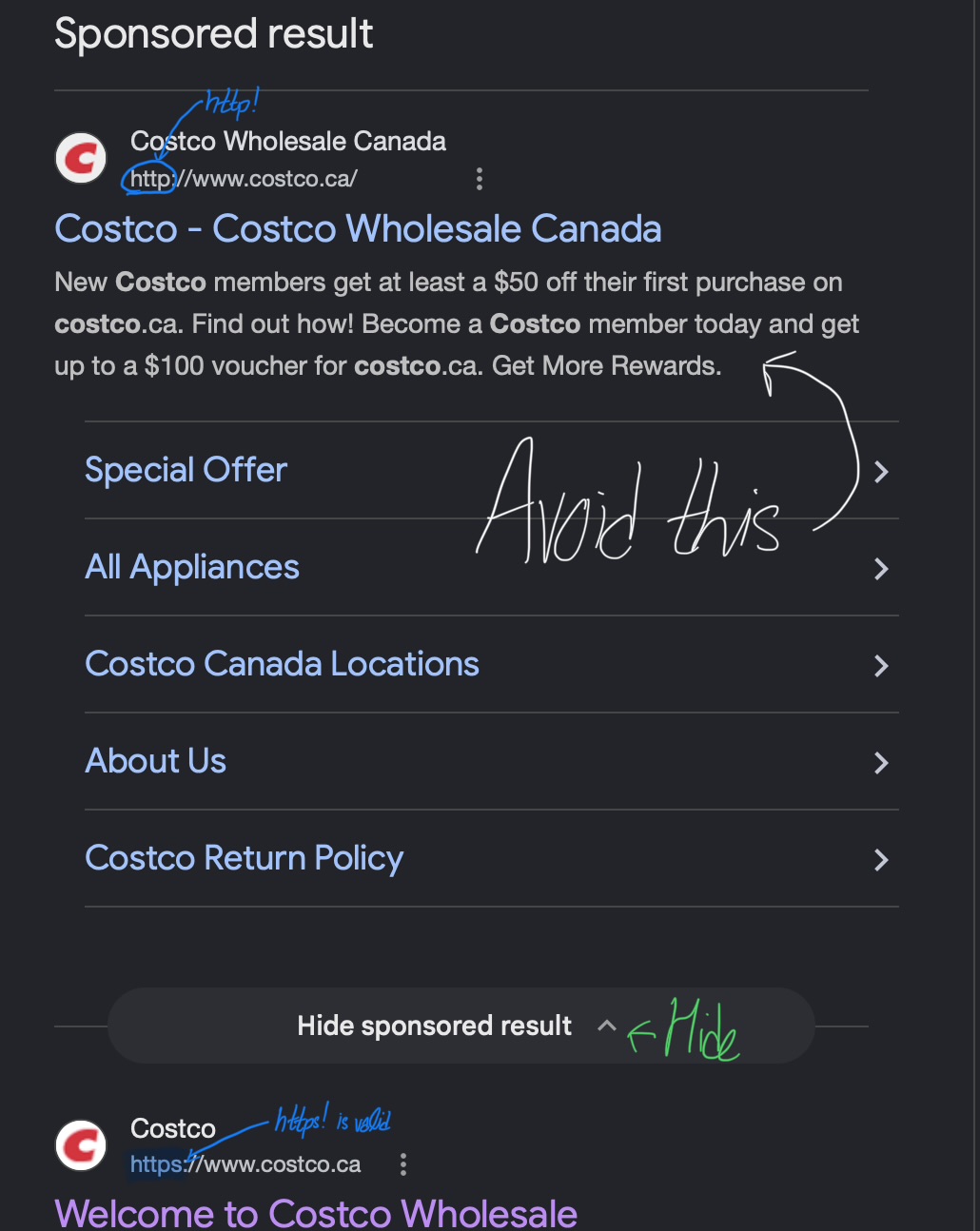
Firstly, the URL! The URL is going to be so intentionally yet so unsuspciously be misspelled. For example, it could be cosstco.ca. But we know the real URL is not that! Just be sure to take an extra look! That is one. The other is a very important one: http vs https! HTTPS sites are safer to go on. However, still exercise caution! AND: Never open sponsored sites!
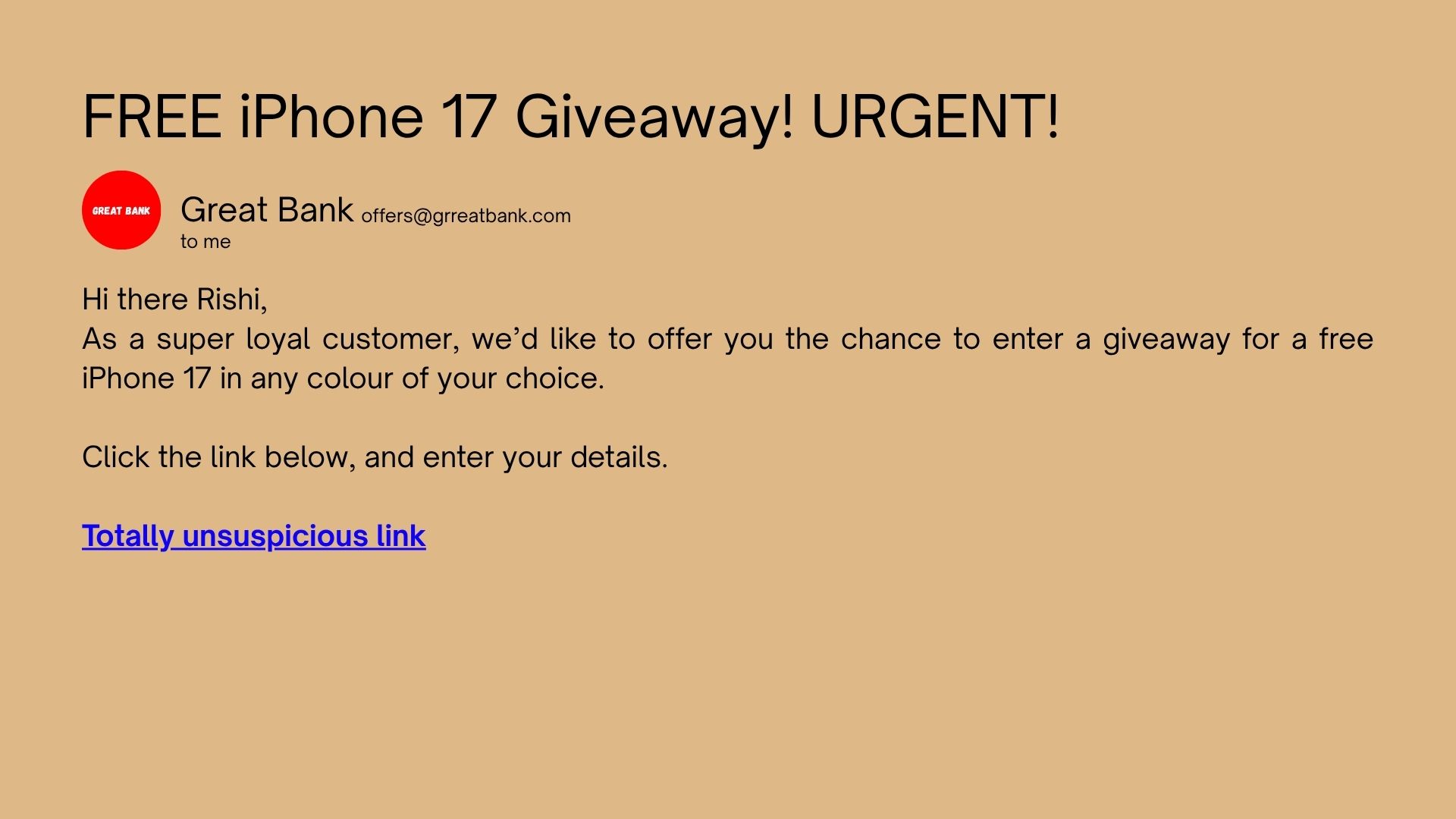
Secondly, the email! Again, like URLs, it will be so similar but not the right thing! They are likely to impostor a real company, or maybe person. In the case of companies, it's likely they emulate the government or a bank. That lets them get access to the top-most important credentials. It is with that they access your bank account, and likely extract huge sums of money. I can share a real-life example. There was this scammy email about my Costco membership needing to be renewed. I so wish I could tell that genius I don't have one. So, nice try!
Some suggestions to keep in mind are the following: